GETTING STARTED
Your First Steps on Photon
Setting up Photon takes about five minutes, and exactly one step in it cannot be undone. This section covers the wallet, the private key you get shown once, funding with SOL, and the settings worth touching before your first trade. Start at the PhotonGuides homepage for a wider overview.
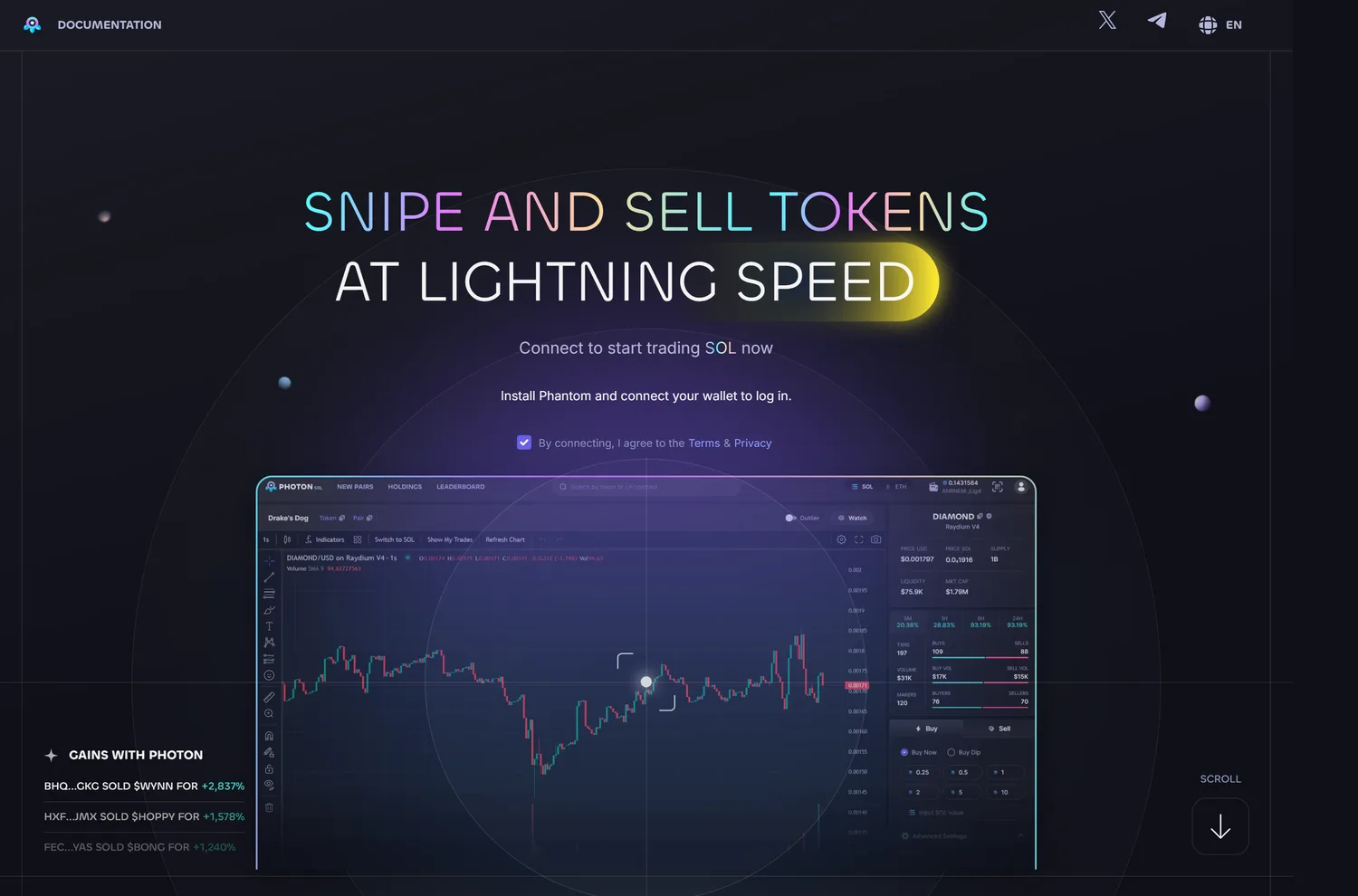
How do I create a Photon account?
You do not create one in the usual sense. There is no email, no password and no KYC. You open photon-sol.tinyastro.io and Photon generates a Solana wallet for you in the browser. That wallet is the account. Its private key is displayed once, behind a reveal slider, and saving it is your job, not Photon's.
Treat that reveal screen as the most important thirty seconds of the whole process. Copy the key into an offline password manager or write it down, and confirm you have it before you navigate away.
Photon's Terms of Use, which name Tiny Astro Inc. as the operating company, are unambiguous on the consequence: the Company "has no way of granting you access to the site if you lose access to, or control of, your Wallet," and you are "solely responsible for maintaining the security of your account."
The key is exportable, so you can import it into Phantom later for mobile access or to move funds out, which is covered on the security and custody page.
Does Photon require KYC?
No. There is no identity check, no document upload and no email address collected at any point. No regulatory action against Photon has been found, and no regulator has issued a statement naming it either way. The absence of KYC also means there is no account for anyone to freeze, and no support desk that can reverse a mistake.
How do I fund a Photon wallet?
Send SOL to the deposit address Photon shows you, or buy in directly through the built-in Moonpay on-ramp. Photon documents no deposit fee and no minimum. Fund with more SOL than the size you plan to trade, because your priority fees and Jito bribes are paid from the same balance and a transaction that cannot cover them simply fails.
That is the most common first-session problem, and what to do when a Photon transaction fails covers how to tell it apart from a slippage rejection.
Photon supports up to five wallets on one account, with archive and unarchive controls, per-wallet quick buy and sell, and a split-deposit function that spreads an incoming amount across them. Most people do not need five, but two is a sensible default: one you actively trade and one you sweep profits into.
A recurring complaint on review sites is deposits arriving short of the amount sent, for example 0.12 SOL landing from a 0.15 SOL transfer. Before assuming a platform problem, check the transaction on a Solana explorer and read the troubleshooting section, because some of those reports come from users who were on a phishing clone rather than the real site.
What should I configure before my first trade?
Three presets and one protection mode. Photon ships trading profiles named S1, S2 and S3 (not "degen" or "normal," whatever other sites tell you), and each stores its own MEV protection setting, priority fee, Jito bribe and slippage tolerance.
Smart-MEV Protection runs in Fast Mode, which routes bribes under 0.001 SOL directly to Jito and larger ones through Bloxroute, or Secure Mode, which does the same at a 0.002 SOL threshold. Both thresholds are Photon's own documented values, not ours. There is also a Default Speed setting and an Auto Speed setting that adjusts your priority fee and bribe based on recently successful transactions.
A practical setup is one conservative preset for size and one faster preset for small entries into new launches, so you are not editing numbers under time pressure. The trading features hub goes through each control and what it actually changes.
Whatever you configure, remember that the priority fee and the bribe are yours: they go to Solana validators and to Jito, not to Photon. Photon's cut is separate and fixed.
What does it cost to trade on Photon?
1% on the buy and 1% on the sell, taken in SOL. Photon's own fee documentation states it directly: "1% of the initial token used for every buy and sell transaction." The worked examples in that same document are a 5 SOL buy incurring a 0.05 SOL fee and a sale generating 1 SOL incurring 0.01 SOL. There are no volume tiers and no published referral discount there either, so a round trip starts at 2% before anything else is added.
On top of that sit the costs you control (priority fee, Jito bribe, slippage) and the costs the underlying venue charges. Trading a fresh Pump.fun launch means PumpSwap's own fee, which starts at 1.25% and tapers toward roughly 0.30% as market cap grows, is layered under Photon's 1%. That venue range is read from PumpSwap's published schedule rather than from Photon, whose documentation does not mention it. Wallet-to-wallet transfers are not charged a Photon fee, which Photon's fee document says in the same section as the rate.
The full arithmetic, and how the drag compounds across a trading day, is on the fees page.
Can I use Photon on my phone?
Yes, but not through an app store. Photon publishes no native iOS or Android app. Its own documentation says the terminal "is best experienced on the Phantom Wallet Browser," which means importing your Photon private key into Phantom and opening the site from Phantom's in-app browser. Anything in an app store claiming to be an official Photon app should be treated as an impersonation.
What happens if I lose my private key?
You lose the funds. There is no password reset and no support ticket that recovers a wallet, because self-custody means the key is the account. Store it offline, keep the trading wallet separate from anything you hold long term, and never paste it into a site, a form or a DM. No legitimate Photon channel will ever ask for it.
The most common way people lose funds on this platform is not a lost key, though: it is landing on a fake Photon. Security researchers at PCRisk have documented a clone at speedtrade[.]icu that copies the real interface and silently drains any wallet that connects, and a second suspected impersonator has surfaced reusing Photon's exact tagline.
Photon's genuine domains all sit under tinyastro.io. Bookmark the real one and read the security and custody page before you fund anything.
What should I learn next?
Make one small trade and close it in full. Nothing teaches the mechanics faster than watching the 1% come off both sides of a real position. After that, the two pages worth your time are Trading Features, for Memescope filters and order types, and Fees, for whether the cost structure suits how often you trade.
Before you fund anything, it is also worth reading whether Photon is safe to use, because the custody model puts the private key entirely in your hands and the biggest real risk on this platform is landing on a fake copy of it rather than anything the terminal itself does.
If you are choosing between terminals rather than committing to this one, read the comparisons first. Photon is a mature product with $440.8M in lifetime fees behind it, but the DefiLlama fees API, pulled , has it at . The flat 1% with no referral tier is the main reason. Both figures are one pull on one date, so re-check them against that source before quoting them as current.
That is worth knowing before you build a routine around it, not after.
Getting Started
New to Photon?
Set Up Photon the Right Way
Open Photon through our link, save the private key it shows you once, and fund with a little more SOL than you plan to trade. The fee is a flat 1% each way with or without a referral.
Open PhotonHow to Trade on Photon: Complete Beginner's Guide (2026)
Step-by-step Photon tutorial: sign up, save your one-time private key, fund with SOL, find a token, set S1/S2/S3 presets, and place your first trade safely.
Photon Wallet: How Deposits, Withdrawals and Private Key Export Work (2026)
How the Photon wallet works: who holds the key, how to deposit SOL, the 0.0025 SOL withdrawal buffer, moving funds between wallets, and exporting to Phantom.
Cite this page
These figures are free to quote. Copy the citation or the link below.
Plain-text citation
PhotonGuides. "Your First Steps on Photon." Published August 6, 2026, updated September 1, 2026. https://photonguides.com/guides/getting-startedHTML link
<a href="https://photonguides.com/guides/getting-started">Your First Steps on Photon, PhotonGuides</a>Methodology and reuse
The rate, the worked fee examples, the Smart-MEV thresholds and the five-wallet limit on this page are read from Photon's own documentation. The lifetime-fee and cohort-share figures are one pull of Photon's DefiLlama protocol record, dated in the prose where they appear. They were read from the official Photon fee and product documentation on and re-verified against the live app. Exchanges change their schedules, so treat any figure older than that date as needing a fresh check. The date above is the one to compare against, and our methodology page sets out how every figure on this site is derived.
You may republish these figures with attribution and a link to https://photonguides.com/guides/getting-started.